
Atom
How an atom is built, on the board
Type the atomic number or the name (11 or sodium) and the atom is drawn with its nucleus and named shells, next to a periodic-table tile.
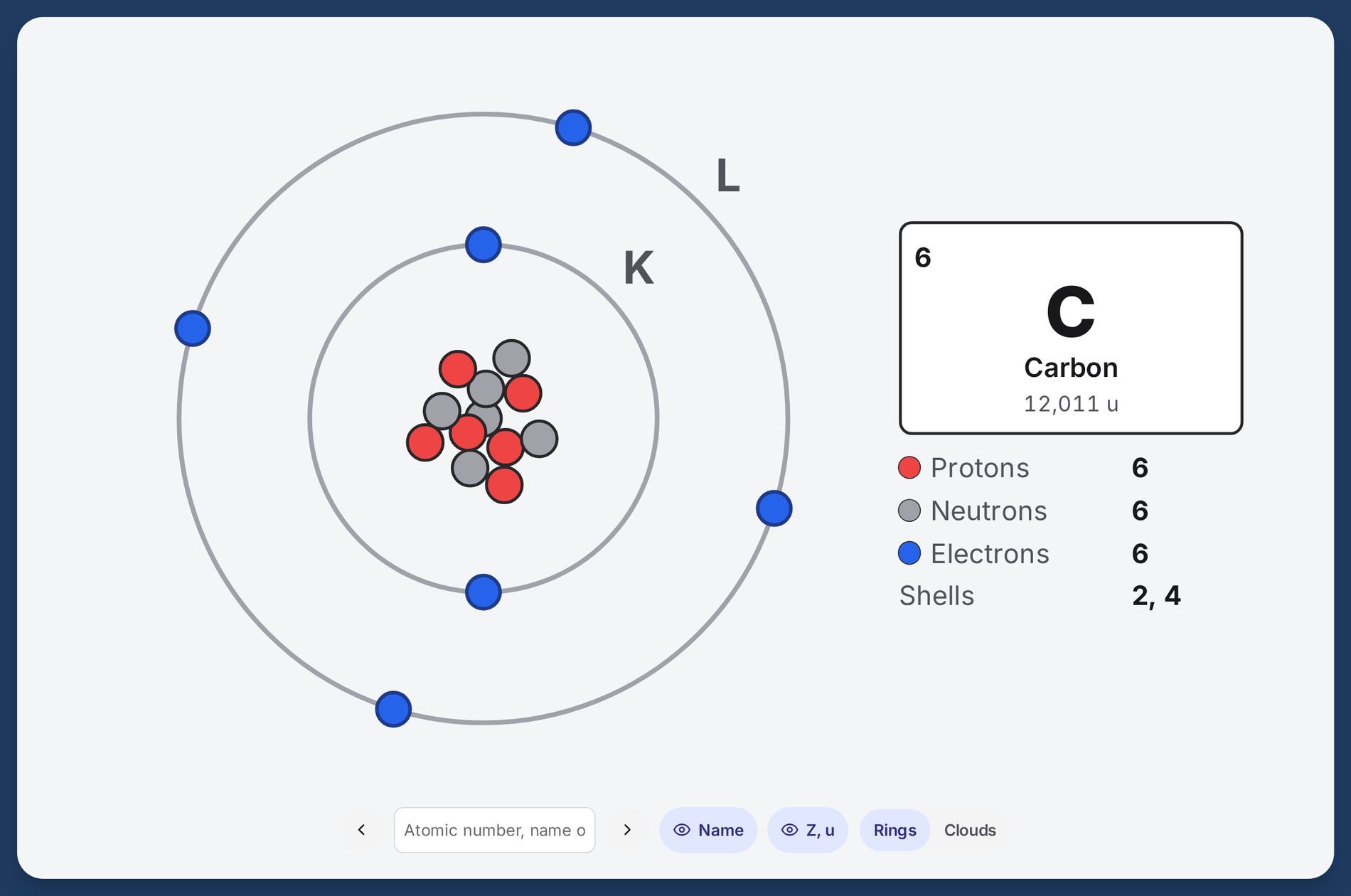
Nucleus and shells
Protons and neutrons sit in the nucleus, electrons in the shells K, L, M and N, as in the textbook: sodium 2, 8, 1 and calcium 2, 8, 8, 2.
A periodic-table tile
Atomic number, symbol, name and atomic mass, and below it the numbers of protons, neutrons and electrons.
Rings or clouds
Show the shells as rings, as in the textbook, or as clouds: soft bands where the electrons sit a little in or out. The electrons are just as many and just as easy to count.
Hide and ask
Hide the name and let the class count the electrons and find the element, or hide the numbers and let them work them out.
Chemical formulas
Type a formula such as H2O, CO2 or Ca(OH)2, or a name such as water, and it shows what the substance is made of, the number of atoms and the molar mass, with a ball model for simple molecules such as water, methane and carbon dioxide.
Ways to use it
- Hide the name, show the shells and let the class find the element.
- Step through elements 1–20 and talk about what happens when a shell is full.
- Compare sodium and potassium: one electron in the outer shell.
How to get started
- Add Atom.
- Type an atomic number, a name or a formula such as H2O.
- Hide the name or the numbers when the class should answer.
Everything is on the same board: lesson schedule, timer, mini whiteboards and the other tools. No student accounts, and boards and images are stored in Sweden, under GDPR.
Questions
Which elements are there?
Hydrogen to krypton, atomic numbers 1–36, what school chemistry usually covers.
How many neutrons are shown?
The number in the most common isotope, for example 6 for carbon and 30 for iron.
Can students try it themselves?
Yes. With the student code a student taps Try it yourself and can step through the elements or type a formula on their own screen. Nothing is sent to us and the board stays as it is.
Missing something? We build what teachers ask for.
Tell us what you miss on the board or what is awkward. We read everything and reply.
Used in the lesson together with
- Unit sprintUnit conversion at a brisk pace for the whole class: 2 dl = ? l, 250 g = ? kg, force = ? newton. Choose length, volume, mass or SI units, how long and when the answer shows.
- Match upType concepts and explanations and the explanations are shuffled. Students connect them on the board or on their own device.
- Coordinate gridA coordinate grid for demonstrations and questions: mark points with a tap, draw straight lines, and hide the coordinates or the function so the class answers first.
Plan the whole lesson on the same board
Put the tool where it belongs in the lesson, next to the lesson schedule and the timer. The next lesson in the series is one click away.