
Together
Plan with colleagues and hand over to a substitute teacher
Share a project with colleagues and you plan the same lessons. Everyone signs in with their own account, so nobody has to borrow anyone's password.
How you plan together
Share the project
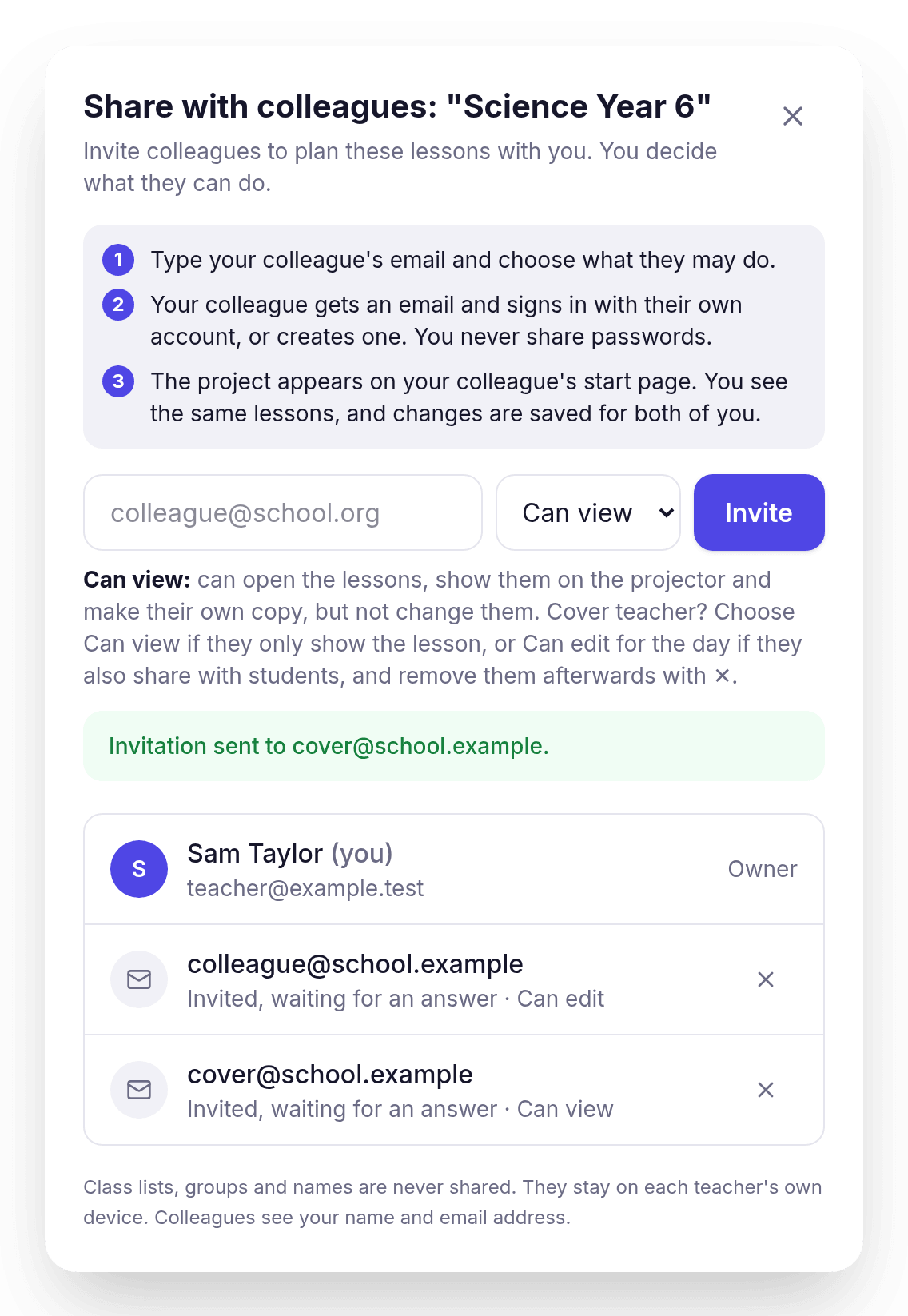
Tap Share with colleagues on the project, for example Science year 6. Type your colleague's email address and choose Can edit or Can view.
Plan the same lessons
Your colleague signs in with their own account and sees the project at once. Changes are saved for both of you. Student names are never shared, a linked class only shows as numbers.
Open the next lesson
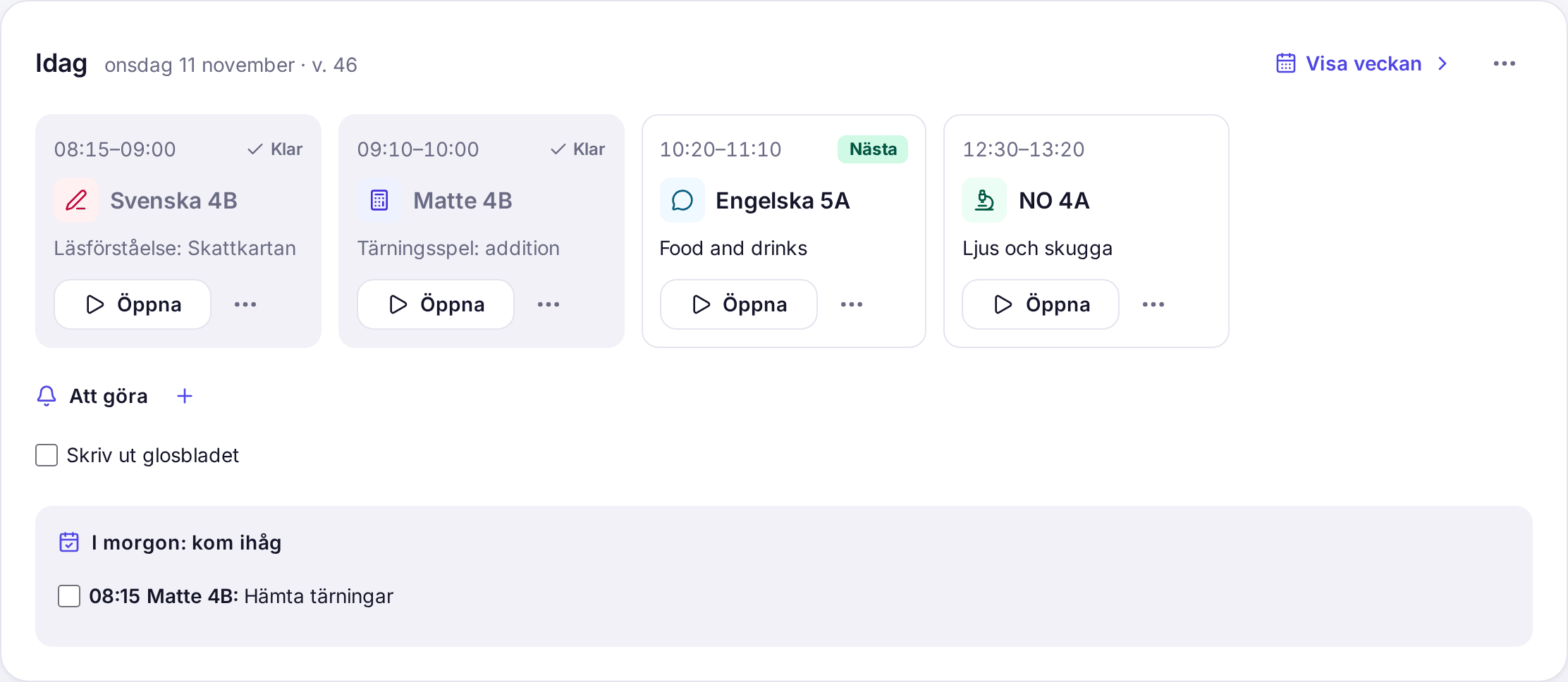
When the lesson starts, you, your colleague or the substitute teacher opens the board with one click. With your timetable added, the start page shows today's lessons and which one is next.
Who may do what
Can edit
Plans with you: changes lessons, adds lessons and shares the student code.
Can view
Opens the lessons, shows them on the projector and makes their own copy without changing anything.
Cover teacher
For a substitute (cover) teacher: invite them for the day, so the lesson is ready on their screen. Remove them afterwards with one click.
Whole folders can be shared too. Your colleague then gets every project in the folder, also the ones you add later.
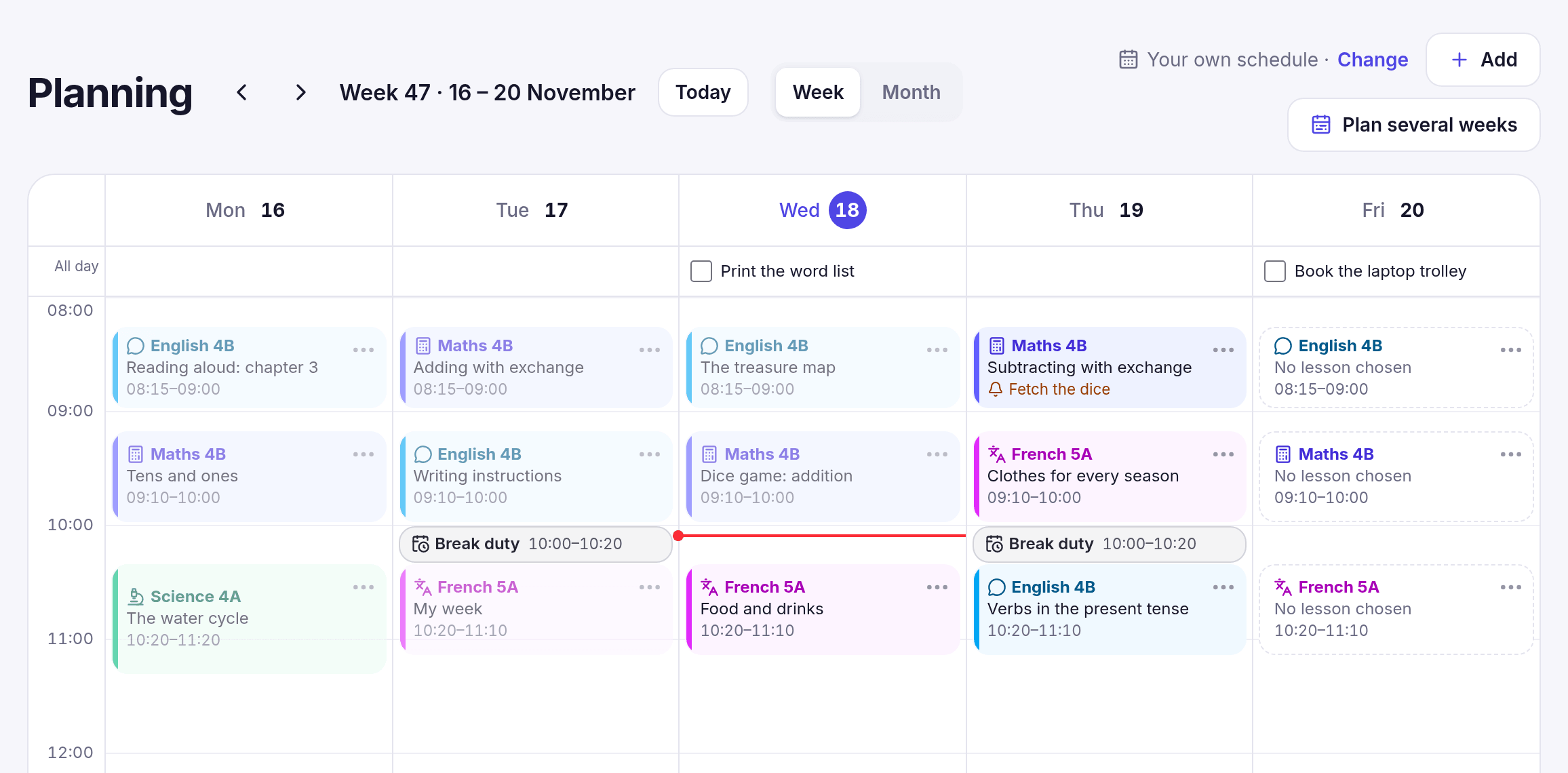
Plan with your school timetable
BetaType in your timetable or paste a calendar link. You then see today's lessons on the start page, find out today what is not planned for tomorrow and can lay out several weeks of lessons at once.
On your phone
Plan the lesson wherever you are
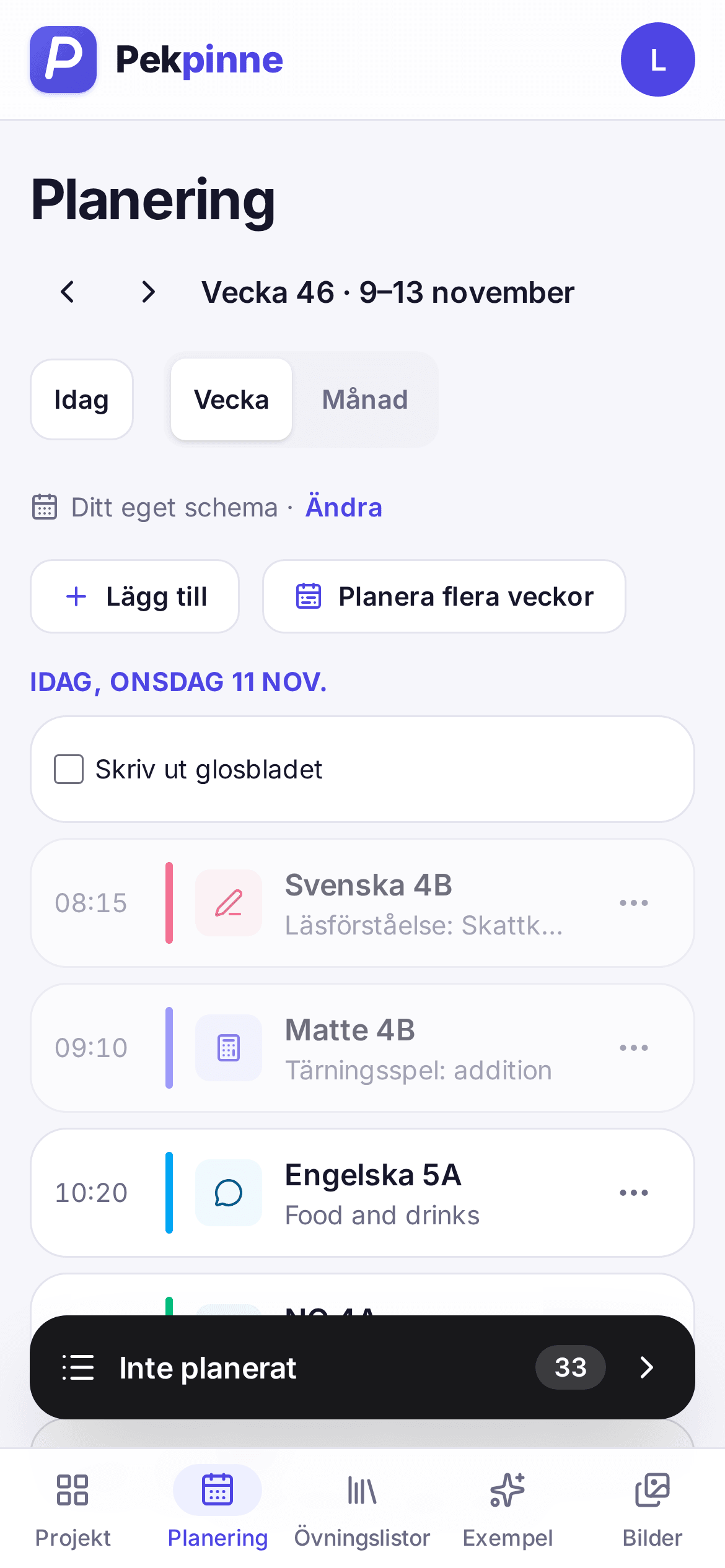
On the bus, between lessons or at home: Pekpinne works just as well on your phone. What you do there is on the classroom computer when the lesson starts.
The whole board on your phone
Every tool works on the phone, stacked one under the other, so you can write the schedule, add pictures and change the timer with your thumb.
Ready when you arrive
Everything saves at once. Open the lesson on the classroom computer or interactive display, and it's already there.
Like an app
Put Pekpinne on your home screen and it opens as an app of its own, no app store needed.
Even on patchy Wi-Fi
A lesson you've opened works offline, and your changes are sent when you're back online.
Switch without starting over
Worried about starting from scratch? You don’t have to.
Your lessons can come with you. Download your data from the service you use today and import the file into Pekpinne. Projects, lessons and pictures land in a folder of their own.
Download your data
Look for “Download” or “Export” in the settings of the service you use today. You get a zip file.
Choose the file in Pekpinne
Account → Import lessons. You see what comes along before anything is added, and nothing you already have is overwritten.
Carry on where you were
The lessons are in a new folder. Name lists are not imported. Add the class under Classes and the names are encrypted on your computer, so we can't read them. You can also open a backup there.
Does your service have no export, or does Pekpinne not recognise the file? Email hello@pekpinne.se and we’ll help you move. And there are more than 20 ready example lessons to start from.
Create an account and import →Try Pekpinne for real
The demo opens right in your browser. No account needed.