
Advent calendar
An advent calendar on the board: one door a day in December
Open a door together every morning. Behind it is what you wrote, a picture or a ready activity like a movement break or a riddle.
Free for everyone until 31 December 2026
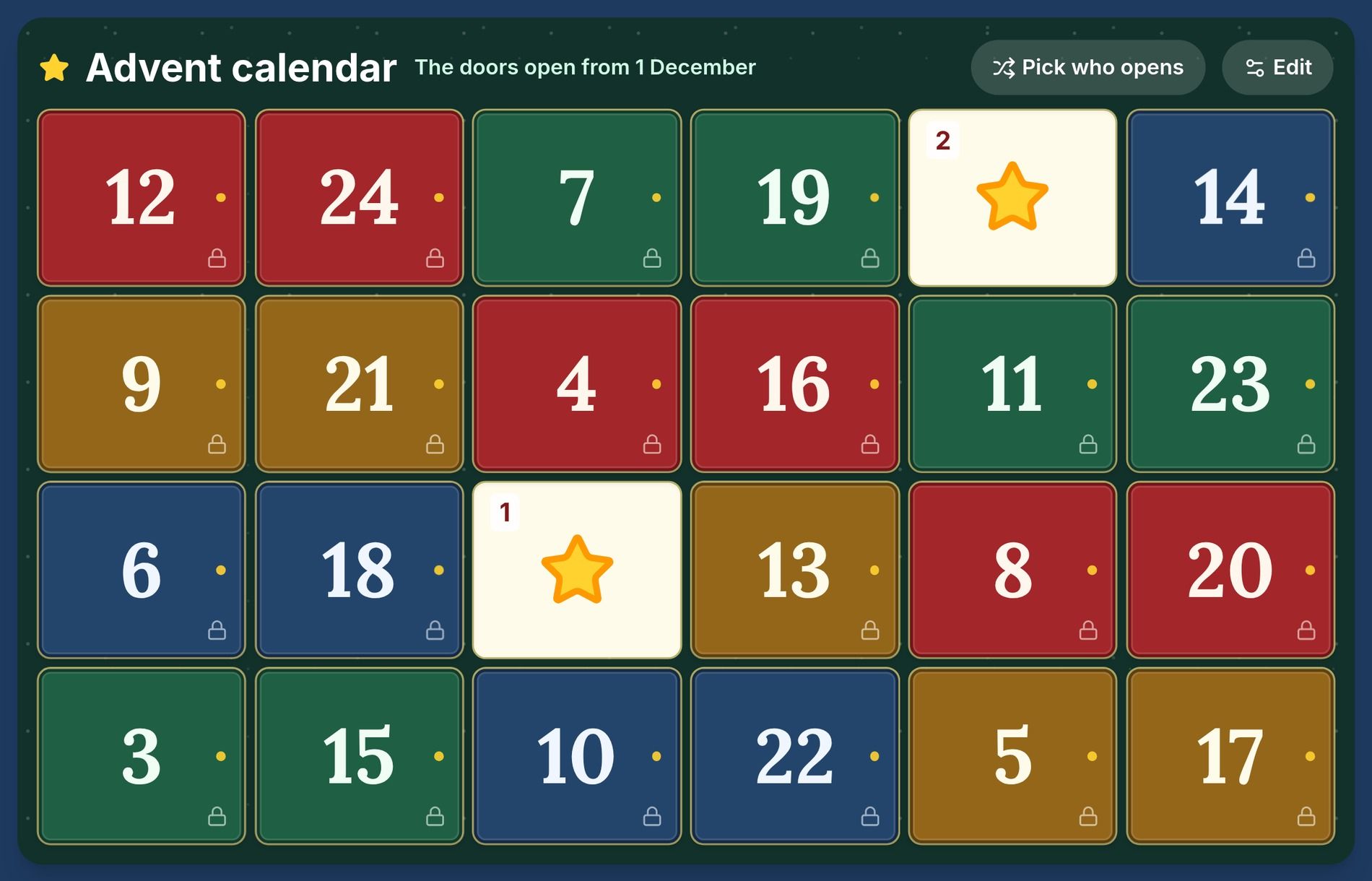
One door a day
Each door can be opened from its date in December, and it swings open calmly. Doors that stayed shut over the weekend can be opened on Monday. To open a door earlier, choose Open anyway.
Your own behind the doors
Write a riddle, a task or today’s movement break, choose a picture from My images or add a link, for example the Practise at home link from a study list. You choose how many doors the calendar has.
Ready activities
A door you leave empty shows one of 24 ready activities: something kind to say, a short movement break or a riddle with the answer hidden until you show it. Choose a theme for the empty doors: Mixed, Movement breaks, Riddles, Task of the day or Class rewards for the whole class, with no sweets and nothing to buy.
Who opens today?
Pick who opens draws a name from your class list. Everyone gets a turn before anyone gets two. The names can only be read on your devices. Pekpinne only holds them encrypted, so we can't read them.
Three of the ready doors
Riddle
What gets wetter the more it dries?
Show answer
A towel
Movement break
Build a pretend snowman. Roll three big snowballs and lift them on top of each other.
Class reward
One lesson outdoors.
Ways to use it
- Open the door first thing in the morning as a calm start to the day.
- Put this week’s spelling words or a number riddle behind the doors.
- Let the student who was drawn read the door aloud to the class.
How to get started
- Add Advent calendar.
- Press Edit and fill in the doors you want.
- Open today’s door together with the class.
Everything is on the same board: lesson schedule, timer, mini whiteboards and the other tools. No student accounts, and boards and images are stored in Sweden, under GDPR.
Questions
Do I have to fill in all 24 doors?
No. An empty door shows a ready activity, so the calendar works straight away.
Can the calendar end before Christmas?
Yes. Choose for example 18 doors if the Christmas holiday starts on 19 December.
Are opened doors saved?
Yes. The doors you have opened are saved with the lesson, and you can close a door again if you like.
Can students see what is behind the doors?
Only behind doors that are already open. What is behind a closed door is not sent to students’ devices.
Missing something? We build what teachers ask for.
Tell us what you miss on the board or what is awkward. We read everything and reply.
Used in the lesson together with
- Name picker and groupsPick who answers and split the class into groups in one click. Student names can only be read on your devices.
- Brain breakShort breaks for the class (move, calm down or brain gym) drawn on the board with a timer. Add your own.
- Reward jarA reward jar for the whole class. Add one marble at a time, write what you are collecting for and celebrate together when the jar is full.
Plan the whole lesson on the same board
Put the tool where it belongs in the lesson, next to the lesson schedule and the timer. The next lesson in the series is one click away.