
Base ten blocks
Base ten blocks on the board: ones, tens and hundreds
Small cubes, rods, flats and big cubes in columns for thousands, hundreds, tens and ones. Build a number, exchange ten for one and see how place value works.
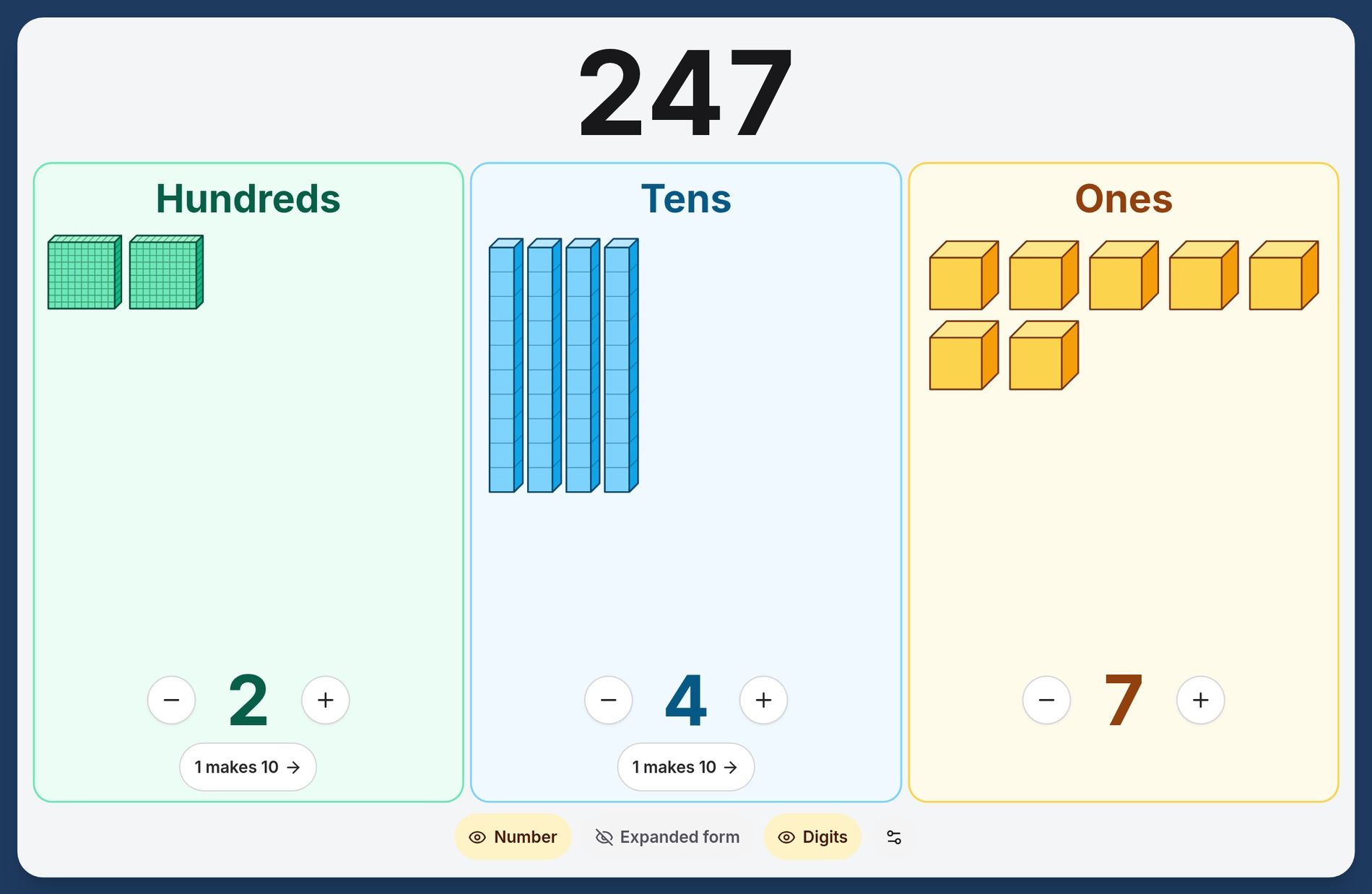
Blocks like in the classroom
Ones are small cubes, tens are rods of ten, hundreds are flats of ten by ten and thousands are big cubes. Each column has its own colour and reads clearly on a projector.
Exchange both ways
Ten ones become a ten with one button. A hundred can become ten tens when the class subtracts with regrouping. Turn on Exchange at once and it happens by itself.
The class answers first
The number, the expanded form (200 + 40 + 7) and the digit under each column can be hidden. A question mark stands on the board until you show the answer.
Type a number
Type 347 and the blocks are laid out at once. Pick two, three or four columns for what the class is working on.
Ways to use it
- Hide the number, build 305 and ask the class what the empty column means.
- Show 52 and take away 27: let a student exchange a ten for ten ones first.
- Turn on Exchange at once and add ones one by one up to 100.
How to get started
- Add Base ten blocks.
- Add blocks with plus or type a number under Settings.
- Hide the number and let the class say which number the blocks show.
Everything is on the same board: lesson schedule, timer, mini whiteboards and the other tools. No student accounts, and boards and images are stored in Sweden, under GDPR.
Questions
How many blocks fit?
Up to 20 in each column, so you can put more than nine and then exchange.
Can students try it themselves?
Yes. With the student code a student presses Try it yourself and builds their own numbers on their screen. Nothing is sent to the board.
Are there decimals or money?
Base ten blocks shows whole numbers from ones to thousands. For kronor and exchanging there is Money.
Missing something? We build what teachers ask for.
Tell us what you miss on the board or what is awkward. We read everything and reply.
Used in the lesson together with
- Number lineA number line on the board with the numbers you choose and as many parts per whole as you like, as fractions or decimals. Tap to mark a number.
- MoneyToday's coins and notes on the board, in pounds, euros or Swedish kronor. Lay out money, count the total, exchange a note for smaller ones and shop with change back.
- Hundred chartA hundred chart with the numbers 1 to 100 or 0 to 99 on the board. Colour squares, hide numbers for the class to guess and show jumps of +1 and +10 as arrows.
Plan the whole lesson on the same board
Put the tool where it belongs in the lesson, next to the lesson schedule and the timer. The next lesson in the series is one click away.