
Money
Money on the board: count, exchange and shop
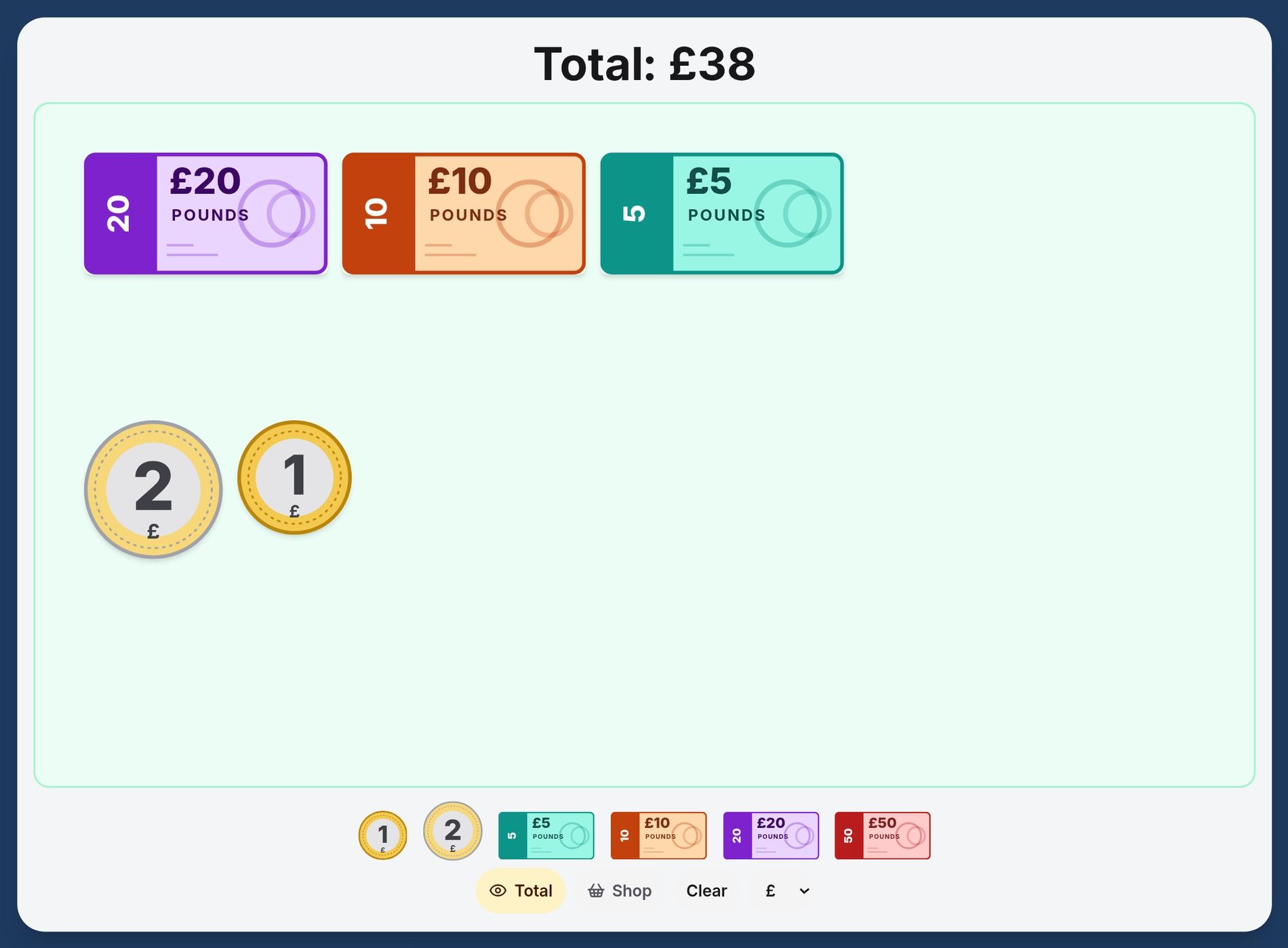
£1 and £2 coins and £5 to £50 notes, or euros or Swedish kronor. Put money on the table, count together, exchange, and let the class pay and work out the change.
Coins and notes to recognise
The money has the same colours and sizes as the real thing, drawn simply and clearly for the projector. Tap a coin or note or drag it to the table. Drag a piece off the table to remove it.
The total can be hidden
The total stands above the table. Hide it so the class counts first and show it when you are done.
Exchange
Tap a note or coin and choose Exchange. A £20 note becomes two £10 notes, a £5 note two £2 coins and a £1 coin and so on, always with the same value.
Pounds, euros or kronor
Money starts in pounds on an English board, or in euros when the browser is set to Irish English. Change the currency on the widget whenever you like. Whole pounds and euros for now: pence and cents are not there yet.
Shop
Type an item and a price, or pick a random price. The class puts money on the counter and presses Pay. If it is enough, the change comes back in as few coins and notes as possible.
Ways to use it
- Hide the total, lay out a few coins and notes and let the class count the largest first.
- Set a price of £37 and ask for three different ways to pay it.
- Pay £50 for something costing £32 and let the class say the change before you press Pay.
How to get started
- Add Money.
- Tap coins and notes or drag them to the table.
- Hide the total and let the class count, or choose Shop.
Everything is on the same board: lesson schedule, timer, mini whiteboards and the other tools. No student accounts, and boards and images are stored in Sweden, under GDPR.
Questions
Is it real money?
No. They are our own simple pictures with the same colours and values as today's money, so students recognise them.
How much money fits?
Up to 60 coins and notes on the table at once.
Can students try it themselves?
Yes. With the student code a student presses Try it yourself and can lay out, exchange and shop on their own screen. Nothing is sent to the board.
Missing something? We build what teachers ask for.
Tell us what you miss on the board or what is awkward. We read everything and reply.
Used in the lesson together with
- Base ten blocksShow numbers with base ten blocks on the board. Add blocks, exchange ten ones for a ten and hide the number so the class answers first.
- Hundred chartA hundred chart with the numbers 1 to 100 or 0 to 99 on the board. Colour squares, hide numbers for the class to guess and show jumps of +1 and +10 as arrows.
- Ten frames and countersOne to four ten frames with yellow and red counters on the board. Drag counters in, flip them, show bonds to ten and work with negative numbers and zero pairs.
Plan the whole lesson on the same board
Put the tool where it belongs in the lesson, next to the lesson schedule and the timer. The next lesson in the series is one click away.