
Flag practice · Map practice
Practise flags until they stick
The student sees a big flag and picks the country among four names, then writes it. Missed flags come back, and the map is there when you want to link the flag to the country.
On the board
The whole class together: you ask, the class answers and the map shows the answer.
Each student
Students practise on their own devices in the lesson, and at home with a link.
Flags only
Choose Flags of Europe or Nordic flags. The student sees the flag large and picks the country among four names, with the neighbouring countries as the other choices, since those are the ones that get mixed up. Once a flag sticks, the student writes the country’s name. No map takes up room on the phone.
The flag and the map together
Each flag first shows with its country on a small map, the capital and about how many people live there. The map becomes a hook to remember the flag by. Turn on Show the map and the student gets a flag and finds the country on the map: flags and geography at once.
The whole class on the board
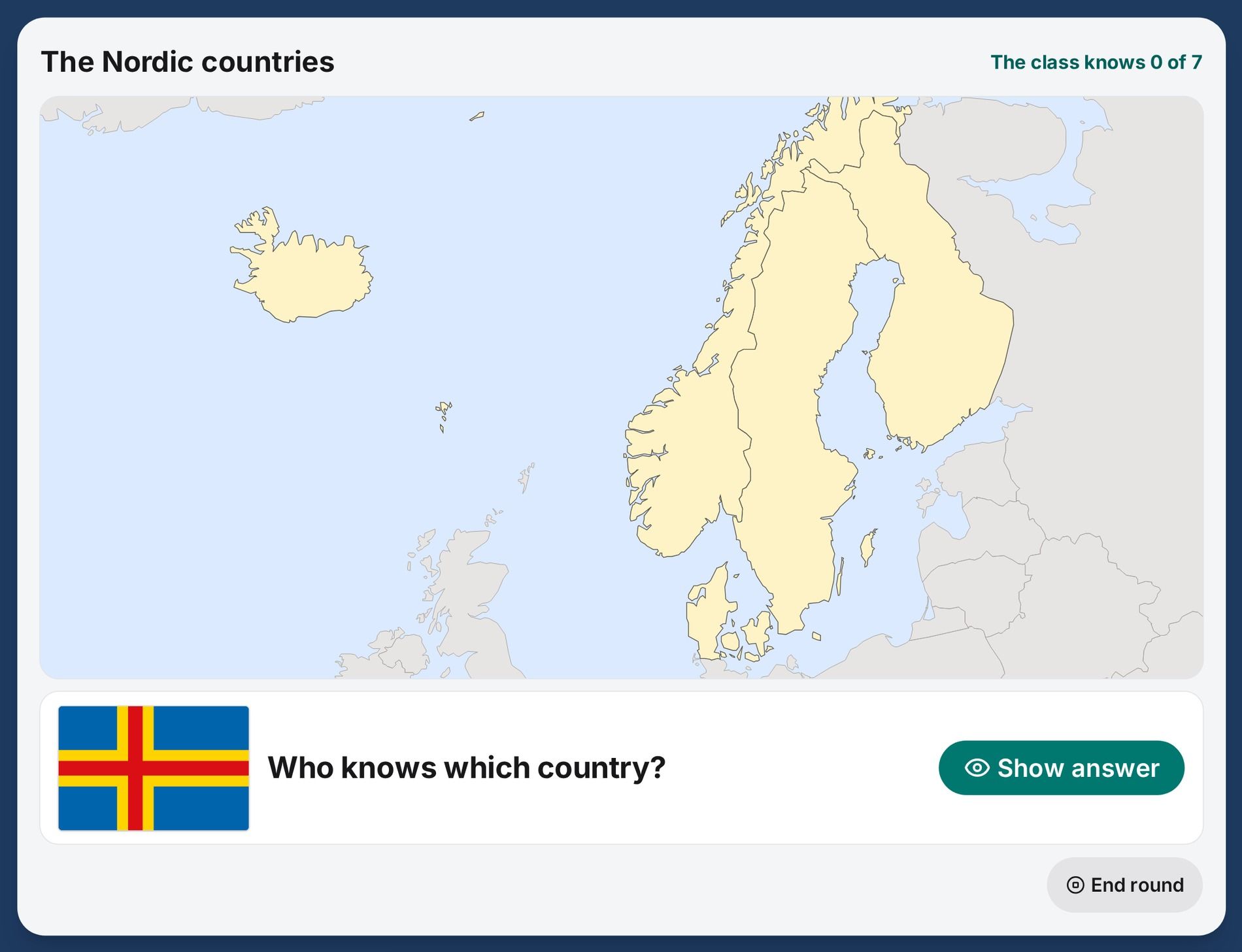
The Map widget has a flag round for the Nordic countries and Europe. The board shows the flag large, the class says the country and you show the answer, and the country lights up on the map. Tap Class knew it or Not yet. What the class did not know comes back a few flags later, and the class works towards its own goal.
Practise at home without an account
Send the link to practise at home, and students practise on their phone, on the bus or at the kitchen table. No account and no name. What a student knows is saved only in their own browser, and if the screen locks, the practice goes on where they were.
What hasn’t stuck comes back
A missed flag is shown with the right country and comes back after one to three others, never at once and never only at the end. After a right answer without help, the app asks if the student was sure or guessed, and a guess comes back once more. Next time the student starts with what is left.
The coats of arms, animals and flowers of Sweden’s provinces
The same kind of practice works for Sweden’s 25 provinces: the student sees the coat of arms, the province animal or the province flower and picks the province, or taps it on the map. On the board, the Coats of arms button shows them all on the map of Sweden, and a coat of arms round works like the flag round.
Practise in Focus mode
Turn on Focus mode when you share the practice with the class. Students stay on the practice and you see at once if someone leaves the page.
Ways to use it
- Start with the Nordic flags with younger students, then Europe.
- Run a flag round on the board and let the class say the country together before students practise on their own.
- Turn on Show the map once the flags stick, so students link each flag to where the country lies.
How to get started
- Add a Study list and choose Map practice.
- Pick Flags of Europe or Nordic flags under Flags only.
- Press Share with students or send the link to practise at home.
Everything is on the same board: lesson schedule, timer, mini whiteboards and the other tools. No student accounts, and boards and images are stored in Sweden, under GDPR.
Questions
Which flags are included?
The flags of Europe’s 46 countries and the seven Nordic ones: Sweden, Norway, Denmark, Finland, Iceland, the Faroe Islands and Åland. The list is saved in Study lists and you can remove flags you are not practising right now.
Is it a flags quiz?
It looks like a flags quiz, but the goal is that students learn the flags. No clock and no points: what went wrong comes back until it sticks, and the student moves from picking among four to writing the name.
Does it suit younger children?
Yes. Start with the seven Nordic flags and four names to pick from. A child who does not write confidently yet can stay with picking, and you can practise on the board with the whole class.
Do students need accounts?
No. Students join with the class code or the link and type a number or a first name that only your computer can read.
Where do the flags come from?
The flags are in the public domain, from Wikimedia Commons. The maps are built from open data from Natural Earth.
Missing something? We build what teachers ask for.
Tell us what you miss on the board or what is awkward. We read everything and reply.
Used in the lesson together with
- Map practiceStudents practise Sweden’s provinces and counties, the Nordic countries and Europe’s countries on the map. Missed places come back until they stick.
- Arms, animals and flowers of the provincesPractise the 25 provinces of Sweden with their coats of arms, provincial animals and provincial flowers. Pick the province among four, write it or find it on the map.
- Study listMake the week’s vocabulary list once. Students practise on their own devices in class and at home without an account, and the word test is scored at once.
Plan the whole lesson on the same board
Put the tool where it belongs in the lesson, next to the lesson schedule and the timer. The next lesson in the series is one click away.