
Fraction pieces
Fraction pieces on the board: combine and compare
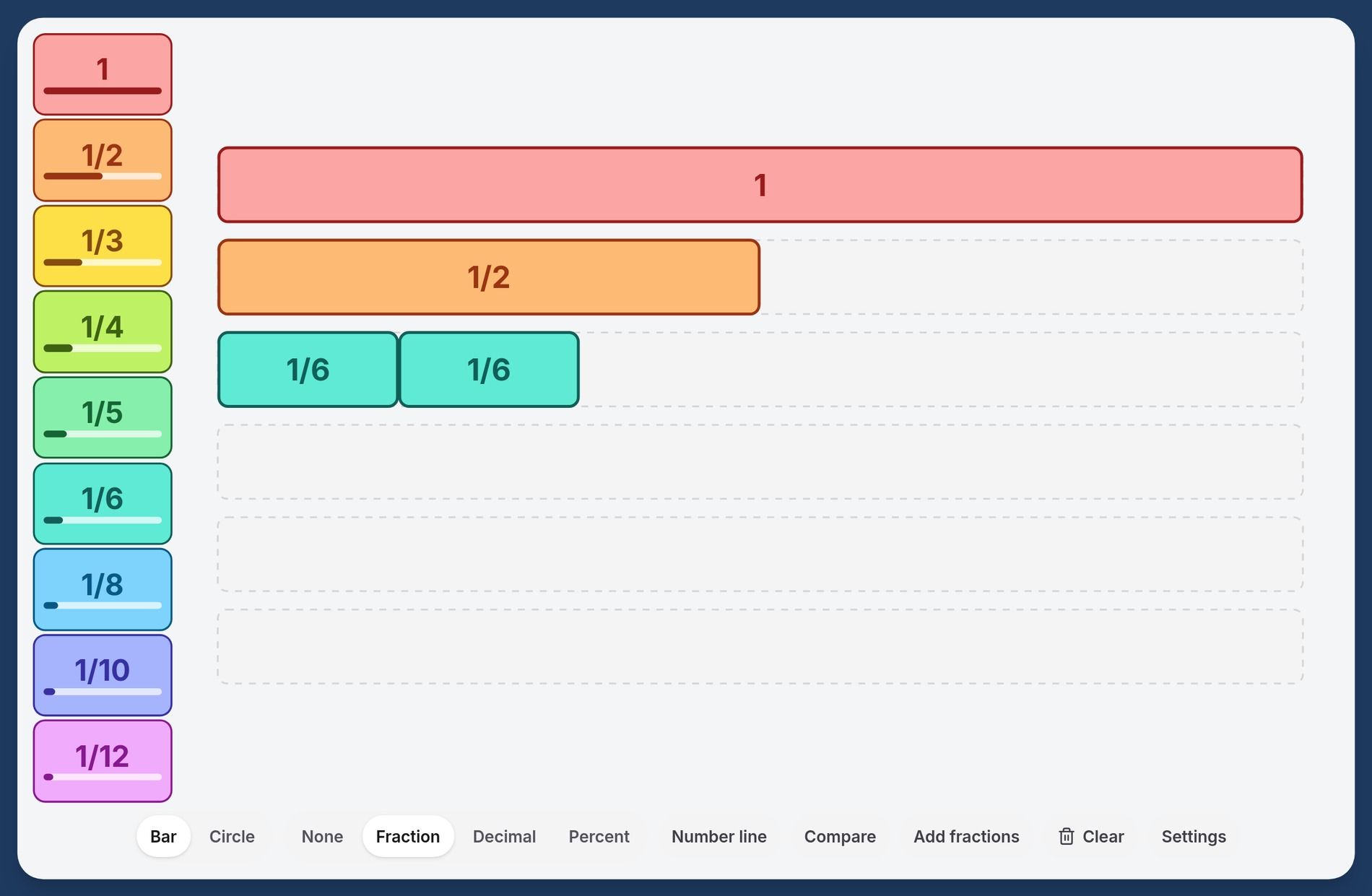
Pieces for 1, 1/2, 1/3, 1/4, 1/5, 1/6, 1/8, 1/10 and 1/12, each size in its own colour. Lay them on bars or circles and see how fractions fit together.
Pieces that snap
Tap a piece in the column or drag it to a row. It snaps to the edge of the piece next to it, so three sixths lie exactly under a half.
Fraction, decimal or percent
Choose what the pieces say: the fraction, the decimal, the percent or nothing at all when the class answers first. Compare puts a line where the pieces end.
A number line under the bars
The number line from 0 gets a tick at every piece edge, so 1/2 and 3/6 land on the same spot.
Add fractions
Pick two fractions, for example 1/2 + 1/3, or a random pair. They lie in a row and the class tries pieces of one size below until a size fits exactly: the common denominator. Show the answer shows 5/6. Subtraction works the same way.
Ways to use it
- Lay a half and ask how many twelfths cover it. Let pairs guess before you lay them.
- Hide the labels, lay 2/3 and 3/4 and use Compare to see which is bigger.
- Add 1/4 + 1/6 and let the class try eighths, tenths and twelfths until one fits.
How to get started
- Add Fraction pieces.
- Tap or drag pieces to the rows.
- Ask how many of one size it takes to cover another.
Everything is on the same board: lesson schedule, timer, mini whiteboards and the other tools. No student accounts, and boards and images are stored in Sweden, under GDPR.
Questions
Which sizes are there?
A whole, halves, thirds, quarters, fifths, sixths, eighths, tenths and twelfths.
How do I remove a piece?
Drag it off the rows, or tab to it and press Delete. Clear removes them all.
Can students try it themselves?
Yes. On the student link a student presses Try it yourself and lays their own pieces on their screen. Nothing is sent to the board.
Missing something? We build what teachers ask for.
Tell us what you miss on the board or what is awkward. We read everything and reply.
Used in the lesson together with
- FractionsA fraction as a picture on the board: choose numerator and denominator and show it as a circle or a bar, with its decimal and percent.
- Fraction sums (LCD)Type a task such as 1/4 + 1/6 or ⅕ ÷ ¼ and the board works it step by step over the lowest common denominator, with a picture for every step.
- Number lineA number line on the board with the numbers you choose and as many parts per whole as you like, as fractions or decimals. Tap to mark a number.
Plan the whole lesson on the same board
Put the tool where it belongs in the lesson, next to the lesson schedule and the timer. The next lesson in the series is one click away.