
Geometric shapes
Geometric shapes on the board: area, perimeter and volume
Pick a shape and it is drawn large on a grid where each square is one unit of length. Change the measures and watch perimeter and area change, or show a solid with its volume and surface area.
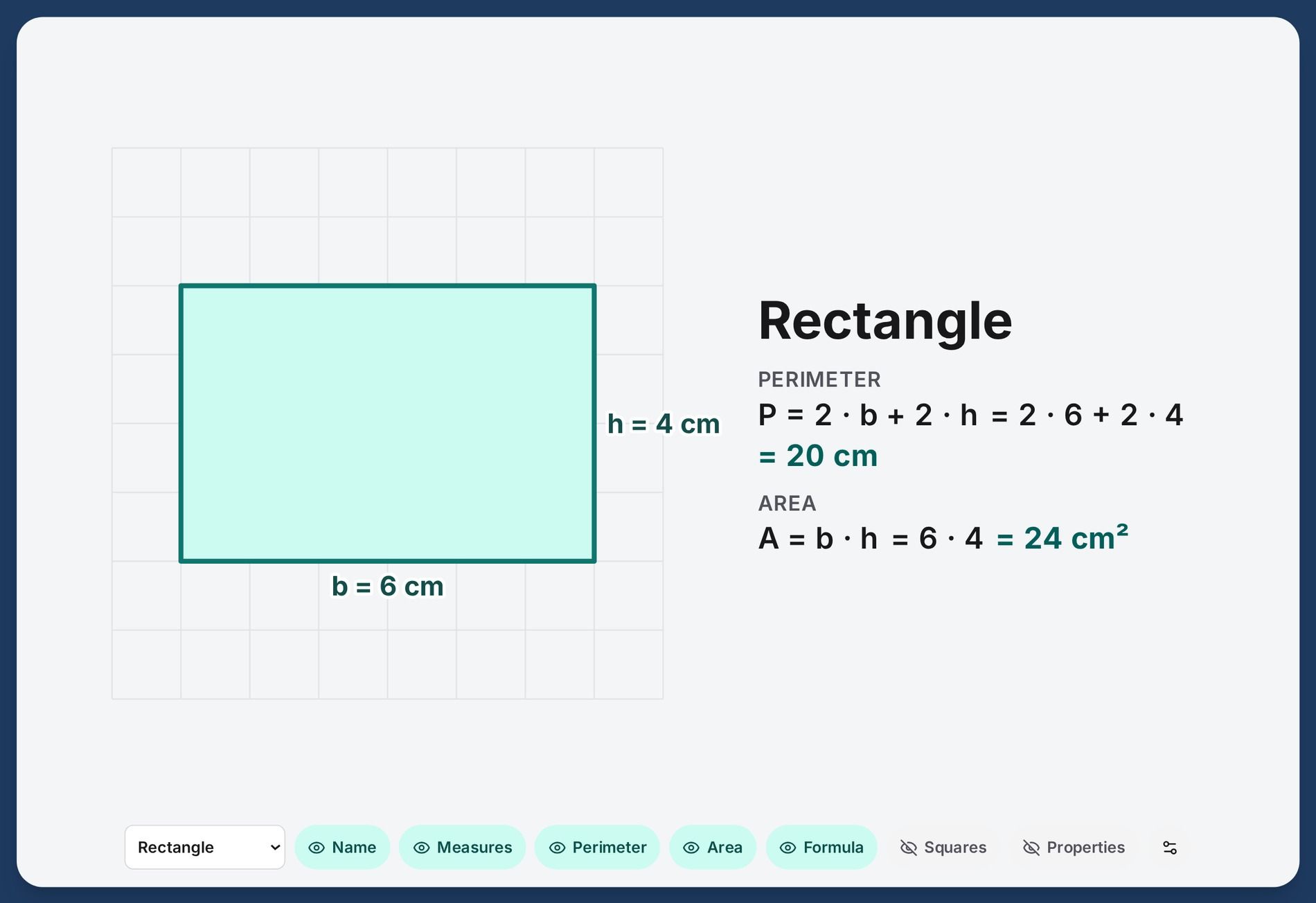
Shapes on a grid
Square, rectangle, right triangle, triangle, parallelogram, trapezoid and circle. The height is dashed with a right angle mark, and the measures stand by the sides in cm, dm, m or squares.
Solids with hidden edges
Cube, cuboid, cylinder, prism, pyramid, cone and sphere are drawn as clear line drawings with the edges at the back dashed. Show the volume and the surface area.
The class answers first
Name, measures, perimeter, area, volume and formula can each be hidden. A question mark stands on the board until you show the answer.
Formulas step by step
The formula is written in letters, then with the numbers put in and then the answer, for example A = b · h / 2 = 6 · 4 / 2 = 12 cm². Calculate with π ≈ 3.14 or with π as on a calculator.
For the youngest
Show the area as squares to count, numbered in rectangles and squares. Properties shows how many corners, sides, edges and faces the shape has.
Ways to use it
- Hide the area, show a rectangle and let the class count the squares before you show the formula.
- Keep the area the same and change the shape: a rectangle, a parallelogram and a triangle with twice the base.
- Show a cuboid with the volume hidden and let pairs work it out on mini whiteboards.
How to get started
- Add Geometric shapes.
- Pick a shape and change the measures under Settings.
- Hide the area or the perimeter and let the class work it out first.
Everything is on the same board: lesson schedule, timer, mini whiteboards and the other tools. No student accounts, and boards and images are stored in Sweden, under GDPR.
Questions
Which shapes and solids are there?
Square, rectangle, right triangle, triangle, parallelogram, trapezoid and circle. Cube, cuboid, cylinder, triangular prism, square pyramid, cone and sphere.
How are answers rounded?
To at most two decimals. A rounded answer is written with ≈, for example sides worked out with Pythagoras and answers with π.
Can students try it themselves?
Yes. With the student code a student presses Try it yourself and can change the shape and measures on their own screen. Nothing is sent to the board.
Is the drawing to scale?
Yes. Each square is one unit of length and the shape keeps its proportions. Solids are drawn at an angle with the depth shortened, as in textbooks.
Missing something? We build what teachers ask for.
Tell us what you miss on the board or what is awkward. We read everything and reply.
Used in the lesson together with
- GeoboardA digital geoboard with 5 × 5 to 11 × 11 pegs. Stretch coloured rubber bands from peg to peg, show area and perimeter and reflect the shape in a line of symmetry.
- Coordinate gridA coordinate grid for demonstrations and questions: mark points with a tap, draw straight lines, and hide the coordinates or the function so the class answers first.
- FractionsA fraction as a picture on the board: choose numerator and denominator and show it as a circle or a bar, with its decimal and percent.
Plan the whole lesson on the same board
Put the tool where it belongs in the lesson, next to the lesson schedule and the timer. The next lesson in the series is one click away.