
Next test
Next test, so everyone knows how much time is left
Write the topic and the date of the test. The board shows how many days, school days and lessons are left, so students can plan their studying.
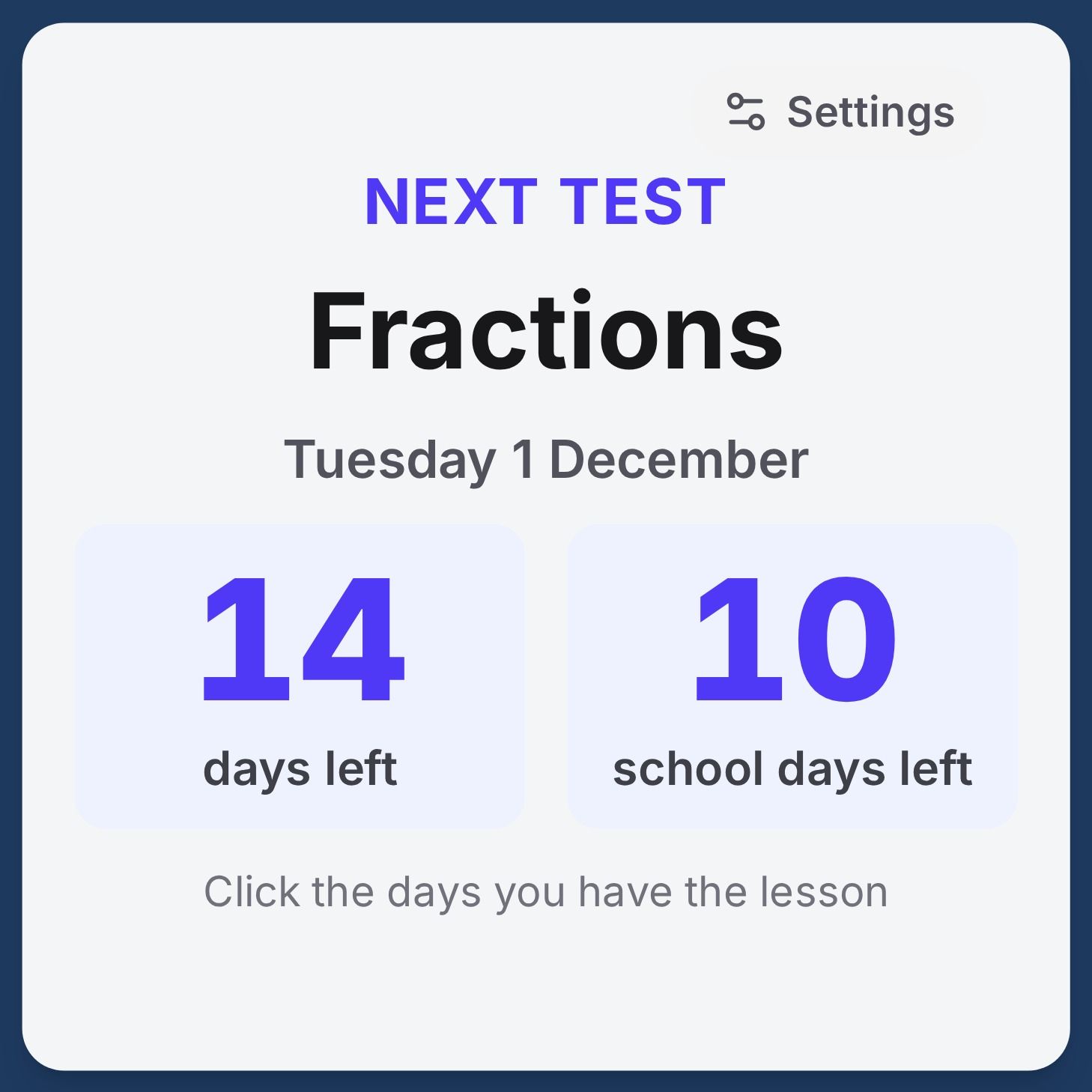
Lessons left, not just days
Tick the weekdays you have the lesson and the widget works out how many lessons are left before the test. That is what students really need to know. Two lessons on the same day? Tap that day twice.
Holidays are left out
Add holidays and days off, such as a school break or a teacher training day. They don't count as school days or lessons.
Clean for the students
Students see the topic, the date and what is left. The settings sit behind a button, and the text shrinks with the widget.
Ways to use it
- Set up the next test as soon as you start a new topic, so students see from the first lesson how far away it is.
- Add the holiday, so the widget only counts the lessons you really have left to practise.
- Plan review by the lessons left: with three to go, it is time for old tests.
How to get started
- Add Next test.
- Write the topic, such as Fractions, and pick the date.
- Tick the days you have the lesson and add any holidays.
Everything is on the same board: lesson schedule, timer, mini whiteboards and the other tools. No student accounts, and boards and images are stored in Sweden, under GDPR.
Questions
How is it different from Countdown?
Countdown counts down to anything. Next test is made for tests: it shows the topic and counts school days and lessons, without holidays.
What happens on the day of the test?
The widget shows that the test is today, and the day after that it has passed.
Missing something? We build what teachers ask for.
Tell us what you miss on the board or what is awkward. We read everything and reply.
Used in the lesson together with
- CountdownCount down to a date on the board: how many days are left until the test, the holiday or the trip.
- Lesson scheduleShow the steps of the lesson on the board. The schedule follows the clock, highlights the current step and tells you if the lesson runs too long.
- Times-table testTimes-table tests without paper: students answer on a tablet or computer, everything is scored at once and you see the hardest facts for the class.
Plan the whole lesson on the same board
Put the tool where it belongs in the lesson, next to the lesson schedule and the timer. The next lesson in the series is one click away.