
Percent
Percent on a bar
Tap the bar to set the percent, type the whole (kronor, students or metres) and let the class work out whatever is hidden.
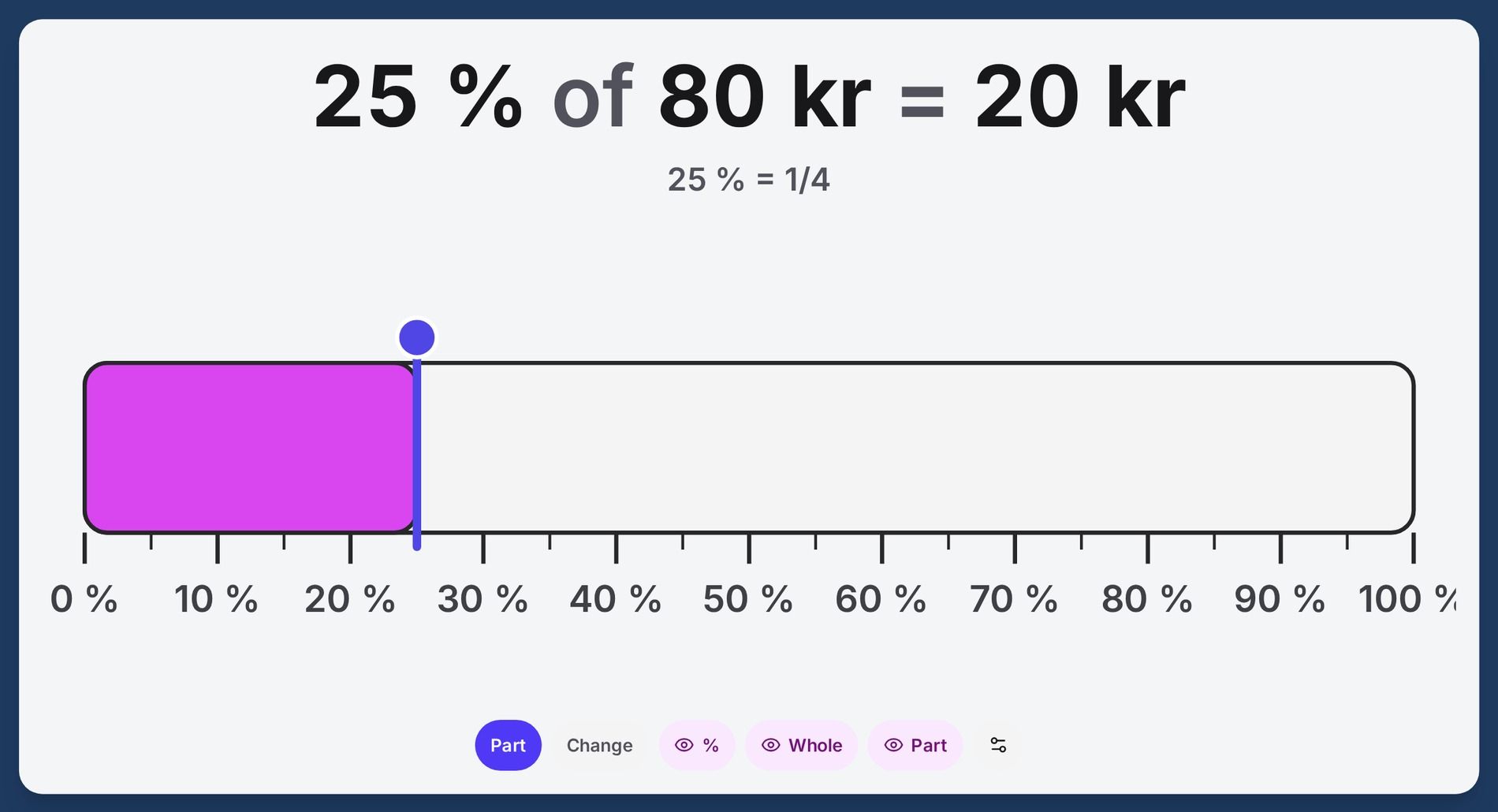
Three numbers, hide one
The percent, the whole and the part stand in a row: 25 % of 80 kr = 20 kr. Hide any of them and a question mark stands there until you show the answer.
The bar shows how much
A bar from 0 to 100 % with a tick every tenth. Drag or tap it to change the percent, in steps of 1, 5 or 10 %.
The fraction beside it
When the percent is a simple fraction it is written too: 25 % = 1/4, 50 % = 1/2, 20 % = 1/5.
Ways to use it
- Sale in the shop: 25 % of 80 kr. Hide the part and let the class work it out first.
- Backwards: 20 of 80 students, what percent is that? Hide the percent.
- Show that 25 % is a quarter: the bar and the fraction stand side by side.
How to get started
- Add Percent.
- Type the whole and the unit under Settings.
- Hide the part and let the class work it out.
Everything is on the same board: lesson schedule, timer, mini whiteboards and the other tools. No student accounts, and boards and images are stored in Sweden, under GDPR.
Questions
Can the percent have decimals, like 12.5 %?
The percent is a whole number, 0–100. The whole can have decimals, like 7.5 kr.
Do students see the bar on their screens?
Yes, students’ screens show the same bar and the same hidden numbers as the board. With Try it yourself a student gets their own copy to drag and change, without changing the board.
Missing something? We build what teachers ask for.
Tell us what you miss on the board or what is awkward. We read everything and reply.
Used in the lesson together with
- FractionsA fraction as a picture on the board: choose numerator and denominator and show it as a circle or a bar, with its decimal and percent.
- Number lineA number line on the board with the numbers you choose and as many parts per whole as you like, as fractions or decimals. Tap to mark a number.
- AveragesType the class's own numbers and get a chart with mean, median, mode and range. Hide the measures until the class has worked them out.
Plan the whole lesson on the same board
Put the tool where it belongs in the lesson, next to the lesson schedule and the timer. The next lesson in the series is one click away.