
Projectile motion in physics
Projectile motion and free fall on the board
Set the angle, speed and height and press Throw. The ball flies, its path is drawn and the flight time, highest point and distance are measured. Lock the settings first, and the class guesses where the ball lands before it flies.
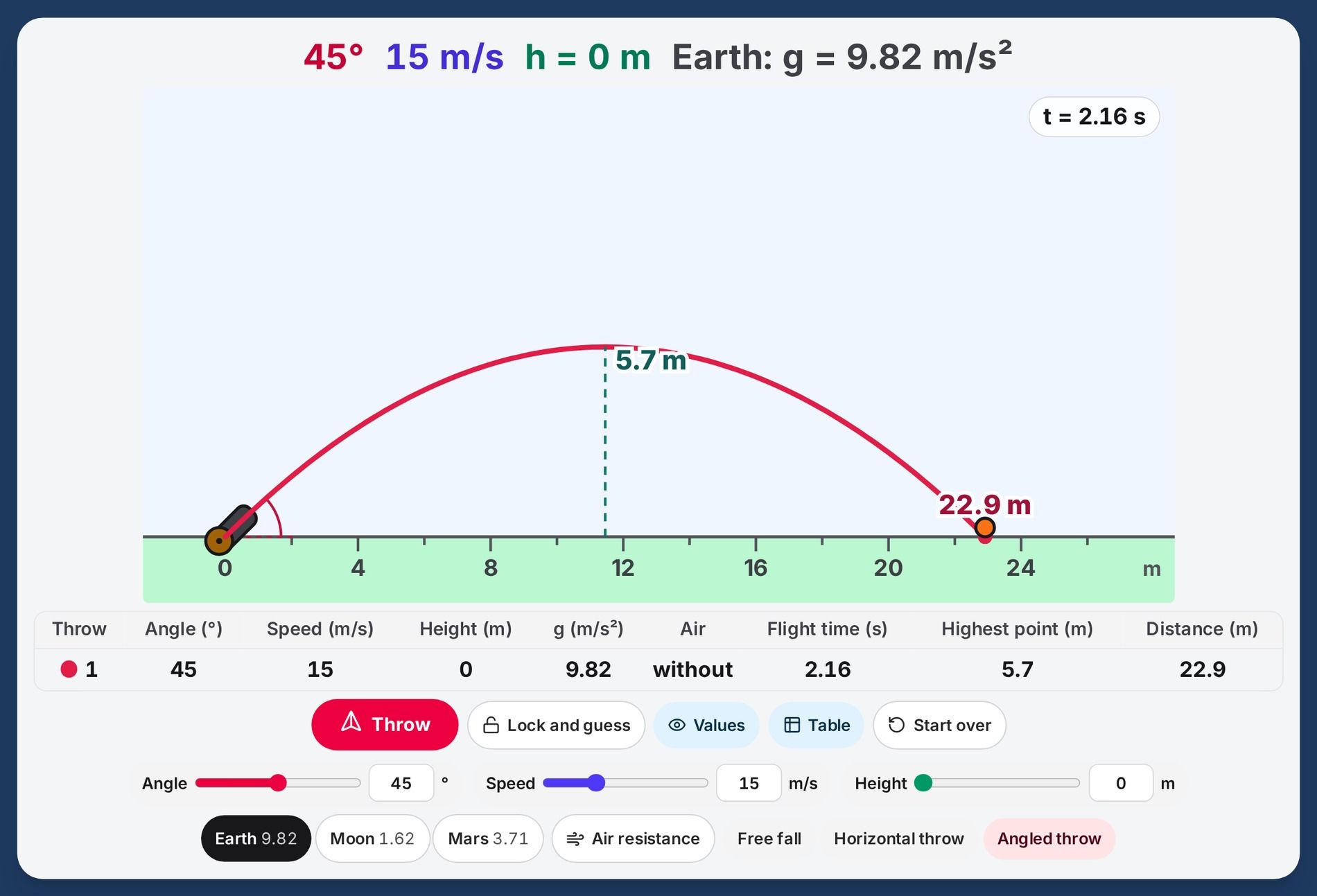
Angle, speed and height
The angle goes from 0 to 90°, the speed from 0 to 50 m/s and the height from the ground up to 100 m, with sliders or numbers. The quick choices Free fall, Horizontal throw and Angled throw set up the usual textbook cases.
The Earth, the Moon or Mars
Throw with g = 9.82 m/s² on the Earth, 1.62 on the Moon or 3.71 on Mars. The same throw on the Moon goes about six times as far. Each world has its own scale, so the Earth throws do not shrink after a throw on the Moon.
With or without air resistance
Without air the path is a parabola and the values are worked out exactly with the formulas. Turn on air resistance and the air slows the ball, a football, more the faster it goes, so the path gets shorter and steeper at the end. The Moon has no air and on Mars it is very thin.
Measured values in a table
Each throw gets its own colour and a row with angle, speed, height, g, air, flight time, highest point and distance. Earlier paths stay faintly, so the class can compare two throws at once. Hide the values so the class works them out first.
Lock and guess
Lock the settings and mark the class’s guesses on the ground, with a tap or in metres. Throw unlocks again and shows where the ball landed beside the guesses. No points and no contest, just the talk about why.
Students guess and try it themselves
Share with students and they follow the board with the code. When you lock, each student marks their own guess, which stays on their device, and then sees how close it was. With Try it yourself the student throws alone with their own settings.
Ways to use it
- Lock the settings and let the class guess how far a 45° throw goes, then try 30° and 60° with the same speed.
- Throw the same ball on the Earth and the Moon and ask why the flight time grows so much.
- Drop one ball and throw another horizontally from the same height: which lands first?
How to get started
- Add Projectile motion under Science in the widget menu.
- Choose the angle, speed and where the throw happens.
- Press Lock and guess, let the class guess, then press Throw.
Everything is on the same board: lesson schedule, timer, mini whiteboards and the other tools. No student accounts, and boards and images are stored in Sweden, under GDPR.
Questions
Which ages is it for?
Forces and motion in physics at lower and upper secondary school. Free fall and the horizontal throw also work as a first picture of gravity.
How is air resistance worked out?
As for a 430 g football: the drag grows with the square of the speed. The throw is worked out once in small time steps, so the path is the same on the board, the projector and the students’ devices.
Do students need accounts?
No. Students open it with the code or the link, without a student login. Their guesses stay on their own devices.
Does the throw show on the projector?
Yes. The ball flies on the board and in the projector window at the same time. A long throw on the Moon is played faster, and it says how many times faster.
Missing something? We build what teachers ask for.
Tell us what you miss on the board or what is awkward. We read everything and reply.
Used in the lesson together with
- Graph plotterDraw functions on axes you graduate and name with units, like t (s) and s (m). Type your own formulas, show and hide each graph and pick from ten example graphs to discuss with the class.
- Coordinate gridA coordinate grid for demonstrations and questions: mark points with a tap, draw straight lines, and hide the coordinates or the function so the class answers first.
- Doppler effectA sound source drives across the board sending out sound waves. See the waves bunch up ahead and spread out behind, hear the pitch drop as it passes and show the sonic boom above the speed of sound.
Plan the whole lesson on the same board
Put the tool where it belongs in the lesson, next to the lesson schedule and the timer. The next lesson in the series is one click away.