
Chord chart
Chord charts and chord changes in time
Type the chords as you usually write them, such as Am C G F, and show the diagrams big for the whole class. Press Practise changes: Pekpinne counts in and changes chord in time, whether everyone is ready or not.
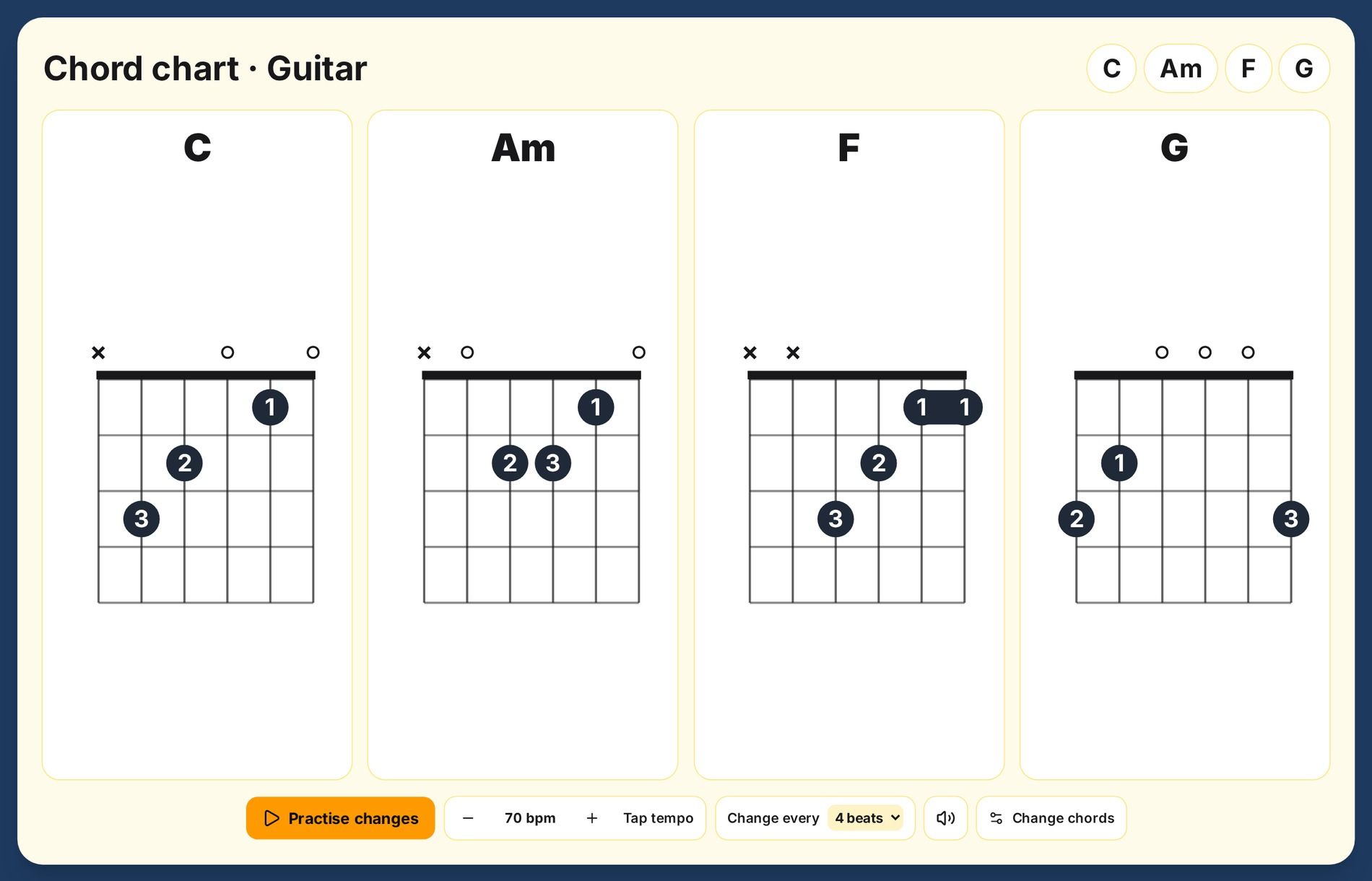
Diagrams for guitar and ukulele
Common school chords with fingering, open and muted strings and barres.
Changes in time
Choose the tempo, or tap it, and how many beats each chord lasts. After a four-beat count-in the next chord comes on the one, and the next chord is shown before it comes.
A click on every beat
A click on every beat, a little louder on the change. Turn the click off when you play along to music.
Ready-made progressions
Start with a common one like C, Am, F, G or G, D, Em, C, or type your own with up to eight chords.
Ways to use it
- Start slowly with two chords and four beats each, then go faster.
- Let the class strum on the one only, then on every beat.
- Practise the change that is hardest in the song you are learning.
How to get started
- Add Chord chart and choose guitar or ukulele.
- Type the chords or pick a progression.
- Choose the tempo and press Practise changes.
Everything is on the same board: lesson schedule, timer, mini whiteboards and the other tools. No student accounts, and boards and images are stored in Sweden, under GDPR.
Questions
Which chords are there?
The major, minor, seventh, maj7 and sus chords used most in school, about thirty for guitar and most of them for ukulele too.
Can students practise on their own?
Yes. With the student code each student can start and stop the practice on their own device, at your tempo.
Missing something? We build what teachers ask for.
Tell us what you miss on the board or what is awkward. We read everything and reply.
Used in the lesson together with
- Visual timerA large visual timer seen from the back of the classroom. Count down a work session, the whole lesson or the time until break, with work mode and sound.
- Sound levelThe noise meter shows the sound level on the board. Animals come out in the calm scene while it is quiet, so the class sees its calm. Nothing is recorded.
- Flip cardsDigital flip cards for the whole class: one big card at a time, a question or word on the front and the answer on the back. Tap to turn it.
Plan the whole lesson on the same board
Put the tool where it belongs in the lesson, next to the lesson schedule and the timer. The next lesson in the series is one click away.