
Homework
Homework on the board, with the due day and practice at home
Write the homework and the day it is due. The board shows how much time is left, and with a study list students get a code and a QR code to practise at home.
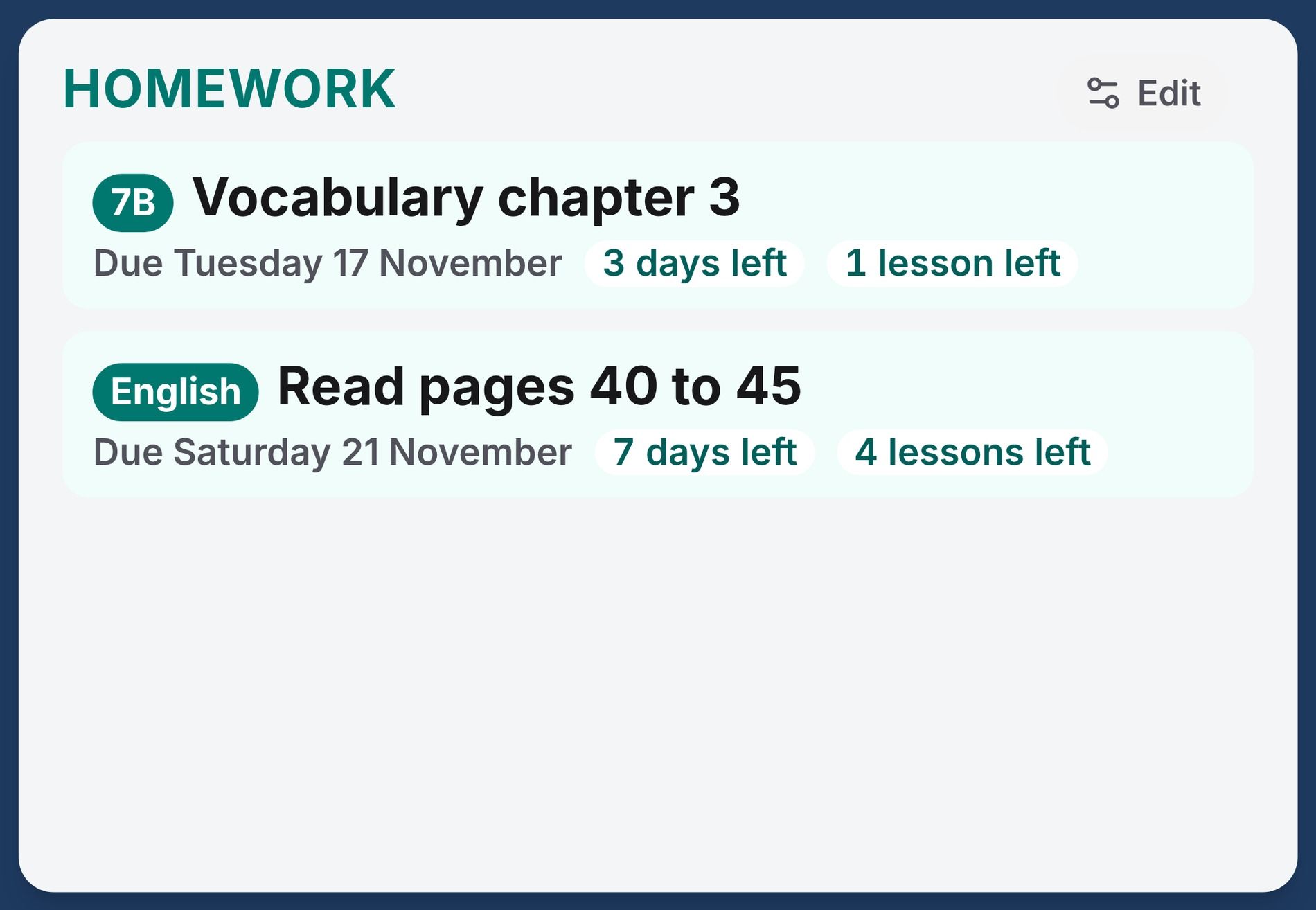
One task or several
Write one task at a time or the whole week's homework, with the day and the class or subject if you like.
Practise at home with a QR code
Pick one of your study lists. The widget shows a code and a QR code, and students practise at home on a phone or computer without an account. A mode you locked in the list applies at home too.
Comes along to the next lesson
With Show on upcoming lessons the homework comes along when you make the next lesson in the project, until its day has passed. No need to write it again.
Spaced practice
The homework shows for several lessons in a row, so it is easy to remind students to practise a little on several days. That lasts longer than cramming the night before.
Ways to use it
- Put the homework up at the start of the week, so it is on the board every lesson until the day.
- Link the vocabulary list and let students scan the QR code before they pack up.
- Ask for ten minutes on three days instead of half an hour the night before.
How to get started
- Add Homework.
- Tap Edit, write the homework and pick the day.
- Pick a study list if you like, and the code and QR code appear.
Everything is on the same board: lesson schedule, timer, mini whiteboards and the other tools. No student accounts, and boards and images are stored in Sweden, under GDPR.
Questions
Do students tick off the homework?
No. Homework shows the task and the time left, with no tick list and no names. Nothing about the students is saved.
Do I get a reminder about the homework check?
Yes, if you have Calendar (beta) turned on. A reminder appears in Planning on the day.
How long does the code work?
The code works for 30 days and is renewed each time you open the lesson.
Missing something? We build what teachers ask for.
Tell us what you miss on the board or what is awkward. We read everything and reply.
Used in the lesson together with
- Study listMake the week’s vocabulary list once. Students practise on their own devices in class and at home without an account, and the word test is scored at once.
- Next testShow the next test on the board: topic, date and how many days, school days and lessons are left, with holidays and days off left out.
- CountdownCount down to a date on the board: how many days are left until the test, the holiday or the trip.
Plan the whole lesson on the same board
Put the tool where it belongs in the lesson, next to the lesson schedule and the timer. The next lesson in the series is one click away.