
Piano
Chords and scales on the keys
Choose the root and a chord or scale, and the notes light up on the piano with their names. Press Play to hear them, or play the keys yourself.
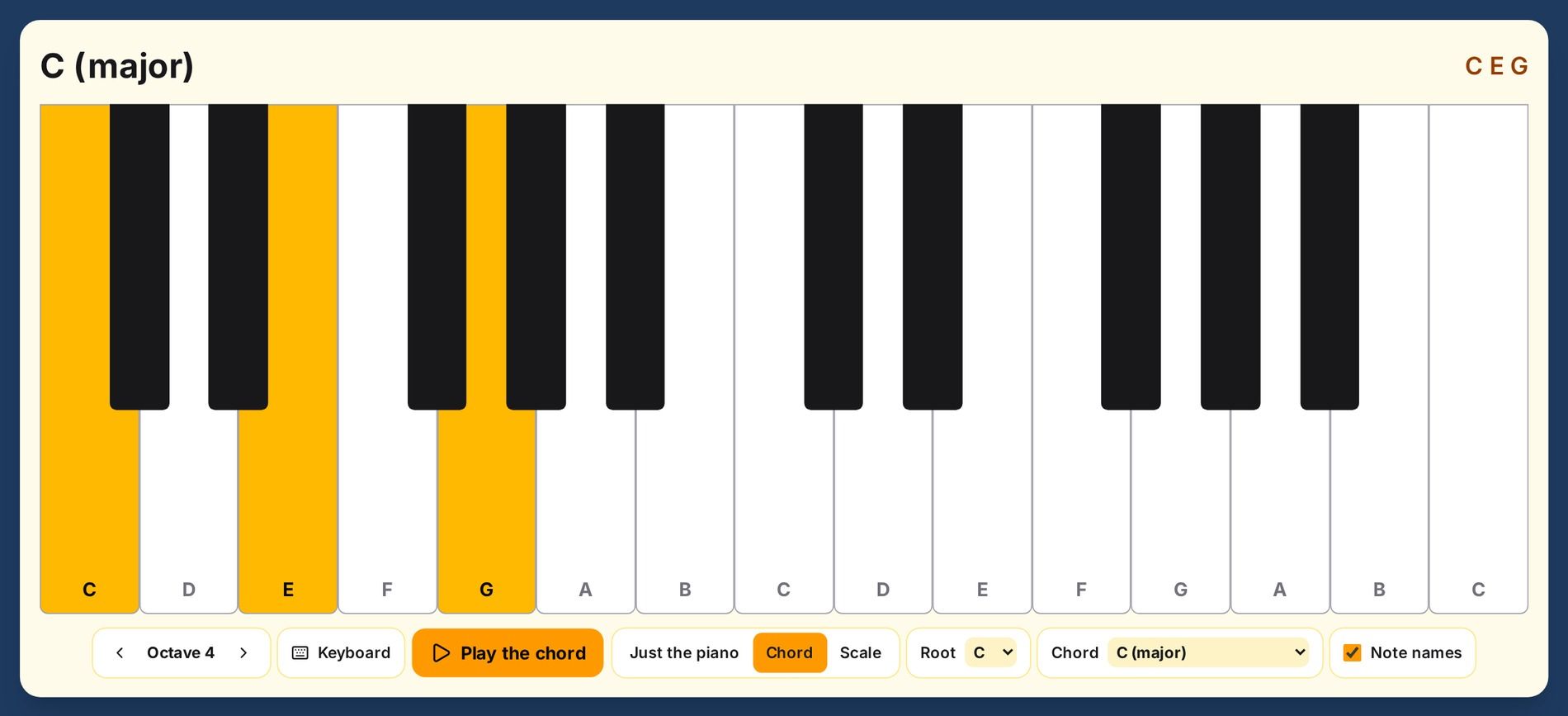
Chords
Major, minor, seventh, major seventh, minor seventh, diminished, augmented, sus2 and sus4, on all twelve roots.
Scales
Major, minor, major and minor pentatonic and the blues scale. F major shows Bb, G major F#, spelt as the key is written.
Note names
Note names on the keys, and on the lit black keys. Hide them when the class should answer on their own.
Ways to use it
- Show C major and A minor side by side and let the class find what differs.
- Build a chord one note at a time and listen.
- Hide the names and let the class name the lit keys.
How to get started
- Add Piano.
- Choose Chord or Scale and a root.
- Press Play, or play the keys.
Everything is on the same board: lesson schedule, timer, mini whiteboards and the other tools. No student accounts, and boards and images are stored in Sweden, under GDPR.
Questions
Can students play themselves?
Yes. With the student code a student taps Practise and gets the piano full screen on their own device, with the chord or scale you show.
Can I play with the computer keyboard?
Yes. A S D F G H J are the white keys from C and W E T Y U the black ones. Z and X change octave.
How many keys?
Two octaves, C to C, so every chord and scale fits from any root.
Missing something? We build what teachers ask for.
Tell us what you miss on the board or what is awkward. We read everything and reply.
Used in the lesson together with
- Chord chartBig guitar and ukulele chord diagrams on the board, and a practice mode where the next chord comes in time with a click, so the changes get quicker.
- MetronomeA metronome you can see from the back row: the beat of the bar as a big number, a pendulum and a click accented on the one. Time signature, tempo and tap tempo.
- Rhythm gridA grid of 8, 12 or 16 steps with a row per sound, and pads to play along on. Tap the steps, play and see where in the bar you are. Body percussion with stomp, clap and snap for the youngest.
Plan the whole lesson on the same board
Put the tool where it belongs in the lesson, next to the lesson schedule and the timer. The next lesson in the series is one click away.