
History timeline
A history timeline on the board and for your students
Put the events on a timeline the whole class can see. The line fits the years, from before Christ to today, and periods show as coloured bands. When you have been through it, students practise the order on their own devices.
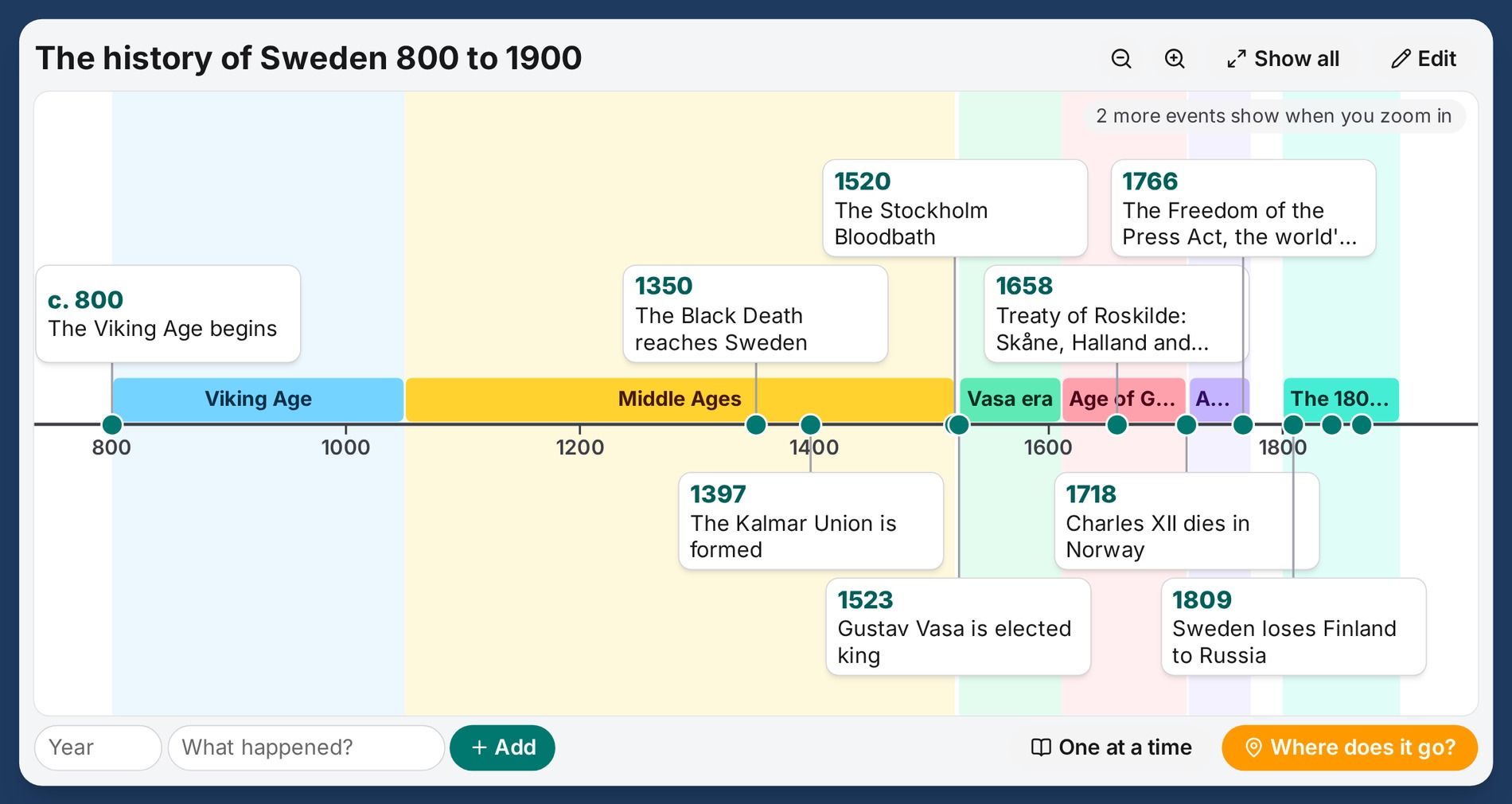
Events and periods
Each event has a year, a short text and, if you like, a picture from your images. Periods such as the Viking Age or the Middle Ages lie as coloured bands along the line. Years before Christ are written as 500 BC, and an approximate year as c. 800.
Type, paste or start ready
Type a year and what happened right under the line. If you have a list, paste it with one event per line: 1066 The Battle of Hastings. Two years on one line make a period. The ready timeline The history of Sweden 800 to 1900 comes with its sources under Edit.
Zoom in on a century
Drag the line to move it and zoom with plus and minus, two fingers on the screen or the mouse wheel. The scale switches between centuries, decades and years. Show all brings back the whole line.
Where does it go?
One event at a time is hidden. The class reasons about where it goes, you tap the line where the class says and then show the answer, with how many years off the guess was. No points and no names, just the discussion.
One at a time
While you tell the story, the events come out in time order, one per tap. The latest is shown large with its picture, so the class follows along.
Let students practise the order
One tap turns the timeline into a study list where students put the events in the right order on their own devices. It is shared at once with a code, with Focus mode on. The years show only after the student has ordered the cards.
Ways to use it
- Open a new topic with Where does it go? and let the class reason about what came before and after.
- Tell a period’s story with One at a time and a picture for each event.
- Let students practise the order with the code in the last ten minutes and at home before the test.
How to get started
- Add Timeline under Social studies in the widget menu.
- Start with a ready timeline or type your own events.
- Run Where does it go? with the class, then press More and Share with students.
Everything is on the same board: lesson schedule, timer, mini whiteboards and the other tools. No student accounts, and boards and images are stored in Sweden, under GDPR.
Questions
Can I make a timeline about anything else?
Yes. Type or paste any events with years, for example ancient Rome, the world wars or an author’s life. The line fits the years.
Do students need accounts?
No. Students open the practice with the code or the link, without a student login, in class and at home.
Does the timeline show on the projector?
Yes. Everything you do on the board, zoom and the class round too, shows at once in the projector window. The text grows with the widget, so it can be read from the back.
Missing something? We build what teachers ask for.
Tell us what you miss on the board or what is awkward. We read everything and reply.
Used in the lesson together with
- Study listMake the week’s vocabulary list once. Students practise on their own devices in class and at home without an account, and the word test is scored at once.
- Map practiceStudents practise Sweden’s provinces and counties, the Nordic countries and Europe’s countries on the map. Missed places come back until they stick.
- Mind mapA mind map with the topic in the middle and coloured branches round it that lays itself out. Go through it one branch at a time with the class, or start from an example.
Plan the whole lesson on the same board
Put the tool where it belongs in the lesson, next to the lesson schedule and the timer. The next lesson in the series is one click away.